Inboxwise guide: an offline SMS app, feature by feature
A tour of Inboxwise for Android: the sorted inbox, spending from bank and UPI SMS, bill reminders, scam warnings and the on-phone AI, all with no internet.
Inboxwise is an SMS app for Android that sorts your messages and pulls the useful parts out of them: what you spent, what’s due and what looks like a scam. What makes it different is something it doesn’t have: an internet permission. Here’s a tour.
No internet, on purpose
Most apps that read your SMS send it somewhere. Inboxwise can’t, because it has no permission to go online. You can check this yourself in Settings → Apps → Inboxwise → Permissions. There’s no account, no cloud, no ads and no analytics, storage on the phone is encrypted, and there’s an app lock.
Today
The Today screen is a quick look at your day: a week strip, how much you’ve spent today, your one-time codes and the bills that are due.
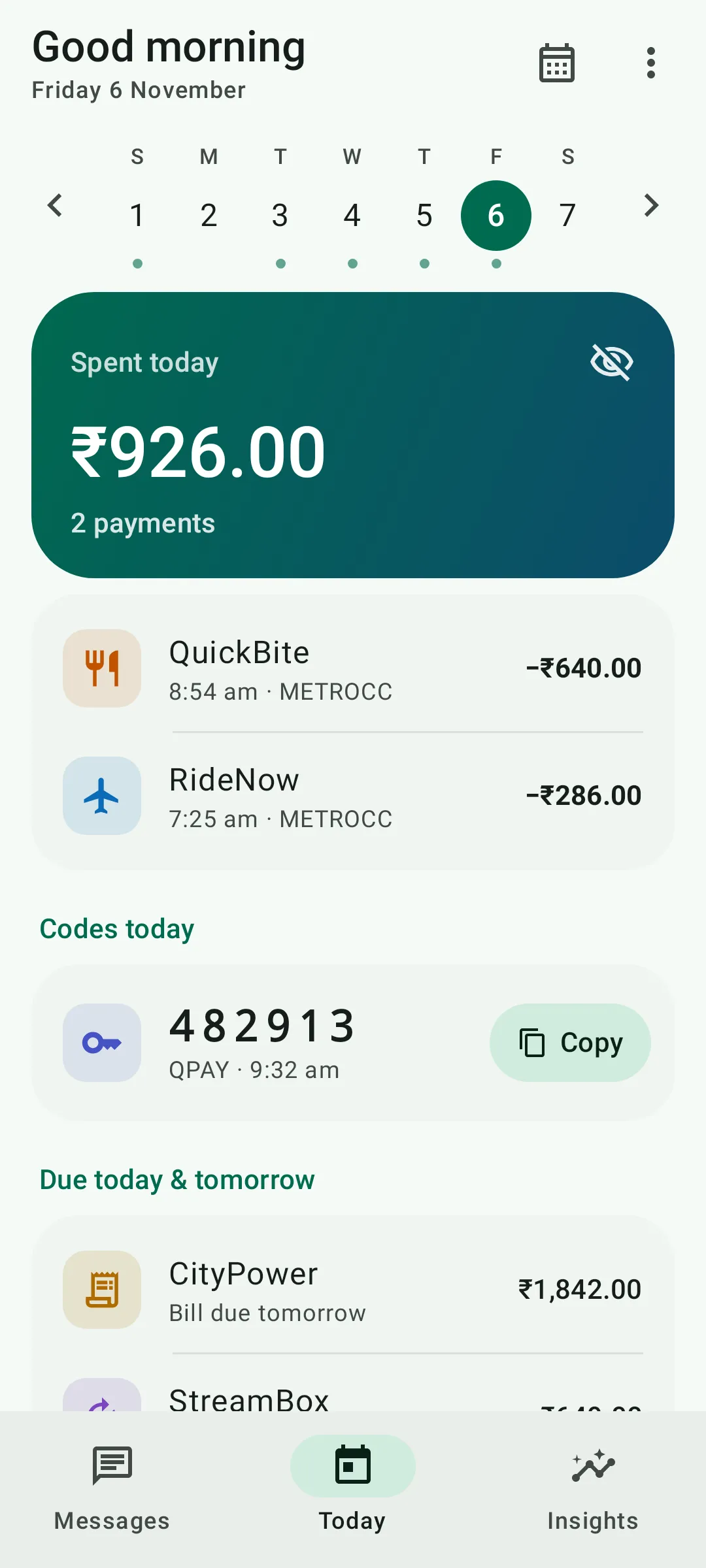 Today: spending, one-time codes and bills due, at a glance.
Your inbox, sorted
Messages from people stay on top. Everything else goes where it belongs: transactions, bills, deliveries, travel, one-time codes and offers. Promotions are tucked into one row, so a week of sale messages stops burying the one message that matters.
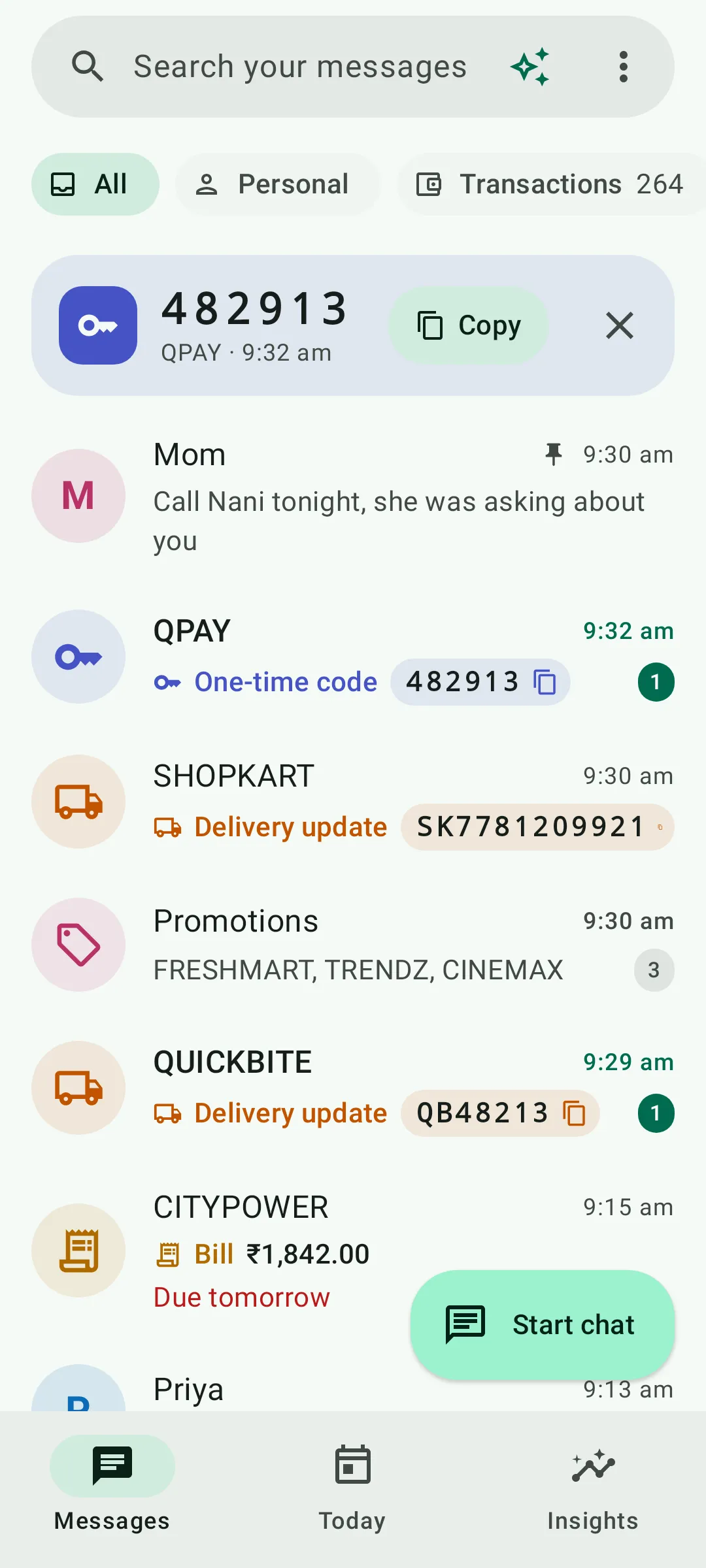 People on top, deliveries and bills labelled, promotions in one row.
Spending from your SMS
Every bank, UPI and card SMS is already a record of what you spent. Inboxwise turns them into a monthly dashboard with:
- Categories and budgets, so you can see where the money went.
- Your biggest payments of the month.
- Subscriptions found in your messages, with what each costs per month and per year.
- Split a bill and export to CSV when you need the numbers elsewhere.
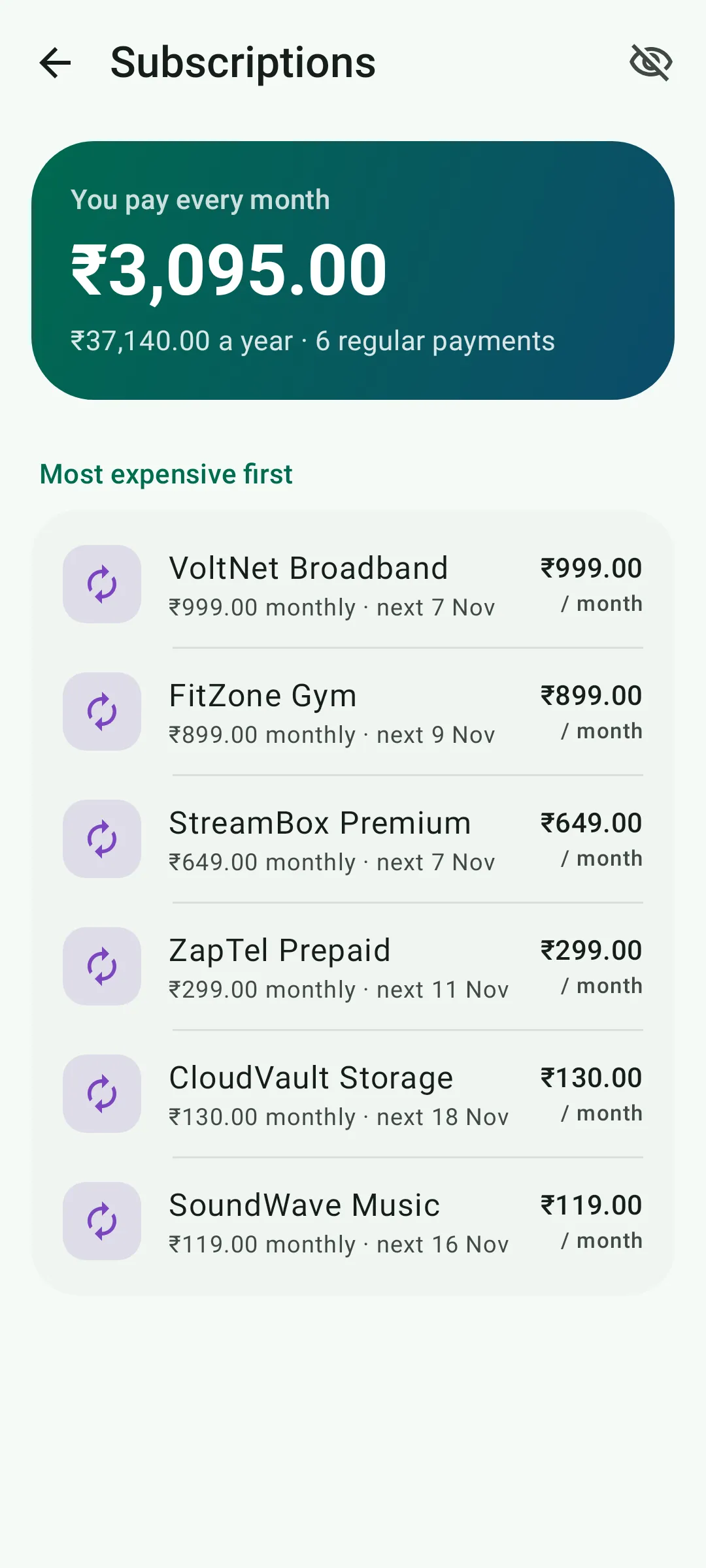 Subscriptions found in your SMS, with the monthly and yearly cost.
Bills and renewals, on time
When a bill SMS mentions a due date, Inboxwise picks it up and reminds you before it’s due. A money calendar shows bills, salary and subscriptions together, and it keeps track of renewals for insurance, plans and vehicle documents.
Scam SMS, explained
Inboxwise flags look-alike links, OTP requests, urgent threats and prize scams, and shows exactly why a message looks wrong, so you learn the signs instead of just seeing a warning. If a payment looks unusual, you get a “Was this you?” alert.
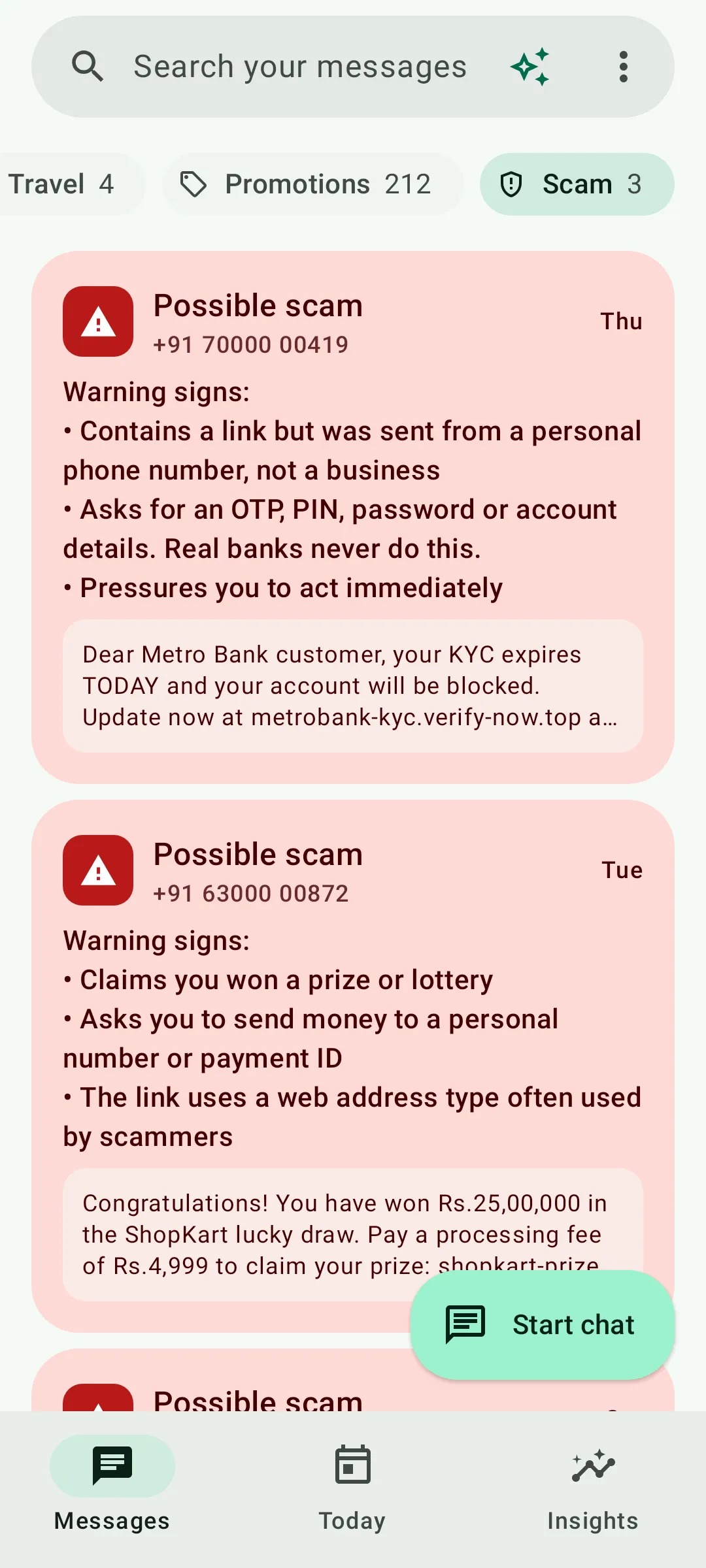 Two scam SMS flagged, with the reasons listed.
Ask in plain language
Ask something like “How much did I spend on food last month?” and the answer comes from your own messages, with the matching SMS shown so you can check it.
AI that works in airplane mode
A small AI assistant runs entirely on your phone. Your chats stay in memory and are never sent anywhere, and it works with no connection at all.
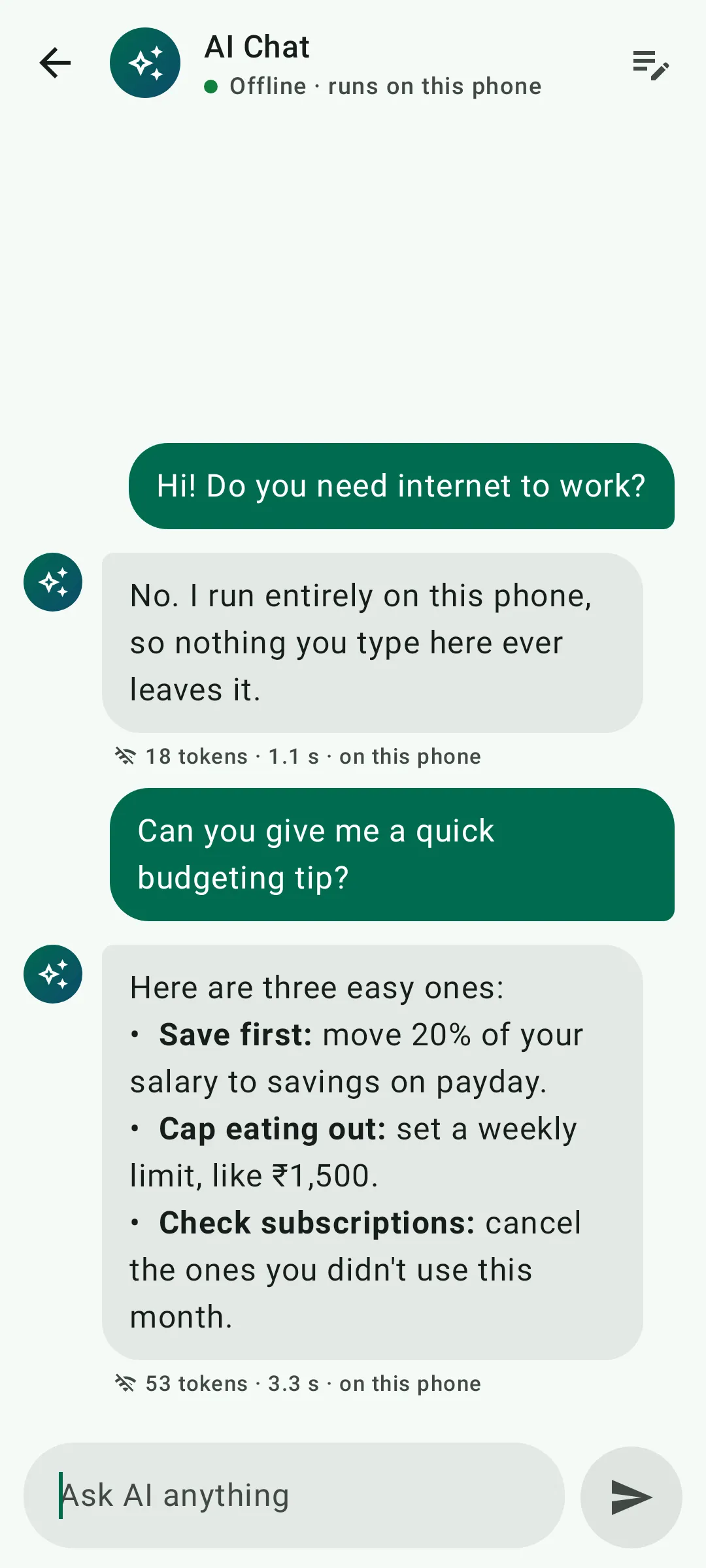 The assistant, running on the phone with no connection.
A full SMS app
Inboxwise can be your everyday SMS app: send and receive, dual SIM, quick reply, copy an OTP straight from the notification, and a home-screen widget.
Trying it
Inboxwise is free to download on Google Play, and every feature is free for 3 days. After that, Pro is a single one-time purchase, with no subscription. See the Inboxwise page for screenshots.

