Your baby's voice is already on your phone. Here's how to keep it
First giggles and first words change in weeks, and they're buried in hundreds of videos. Simple ways to save your child's voice, and a way to find it for you.
You film your child almost every day. Bath time, the first time they tried a banana, a random Tuesday when they wouldn’t stop laughing. The camera roll fills up fast.
Then one day you want to hear how they sounded at six months, the little “ba-ba-ba” before the first real word. And you realise you have no idea which video it’s in.
Why their voice gets lost
- Voices change faster than faces. A baby’s babble turns into words in a few weeks, and the old sound is gone. In photos you can still see the change. In sound, you only notice it once it’s gone.
- A thumbnail is silent. The gallery shows you a picture of each video. You can’t see which one has the giggle in it without opening it and listening.
- The good part is a few seconds long. A two-minute video of a birthday might have five seconds of them saying something. The rest is adults talking, background noise and the camera pointed at the floor.
- There are just too many. A year of filming can mean hundreds of videos. Nobody scrolls back through all of them.
What you can do with what you already have
None of this needs an app. It just needs a minute, close to the moment.
- Favourite it straight away. When a video catches a new sound or word, tap the heart right after you film it. Later, the Favourites album is a short list instead of a long one.
- Keep a “Voice” album. Add the videos where they talk, sing or laugh to their own album. It’s the one you’ll want to play back in ten years.
- Write the first words down. A note on your phone with the date and the word (“14 Aug: ‘dada’, at the park”) makes the right video easy to find later by date.
- Film a little longer. When they start babbling, keep the camera rolling and stay quiet. Your voice is the one that usually drowns theirs out.
- Back them up. Make sure your phone’s photo backup includes videos, so a lost or broken phone doesn’t take their voice with it.
These work, but only if you remember to do them every time, and most of the moments you already have were never tagged at all.
Letting the phone do the listening
That’s why I built Babbly. It listens to the videos already on your phone, newest first, and finds the seconds where your child talks, babbles, sings or laughs. It cuts those moments out and puts them in order. Videos with only adults talking give nothing.
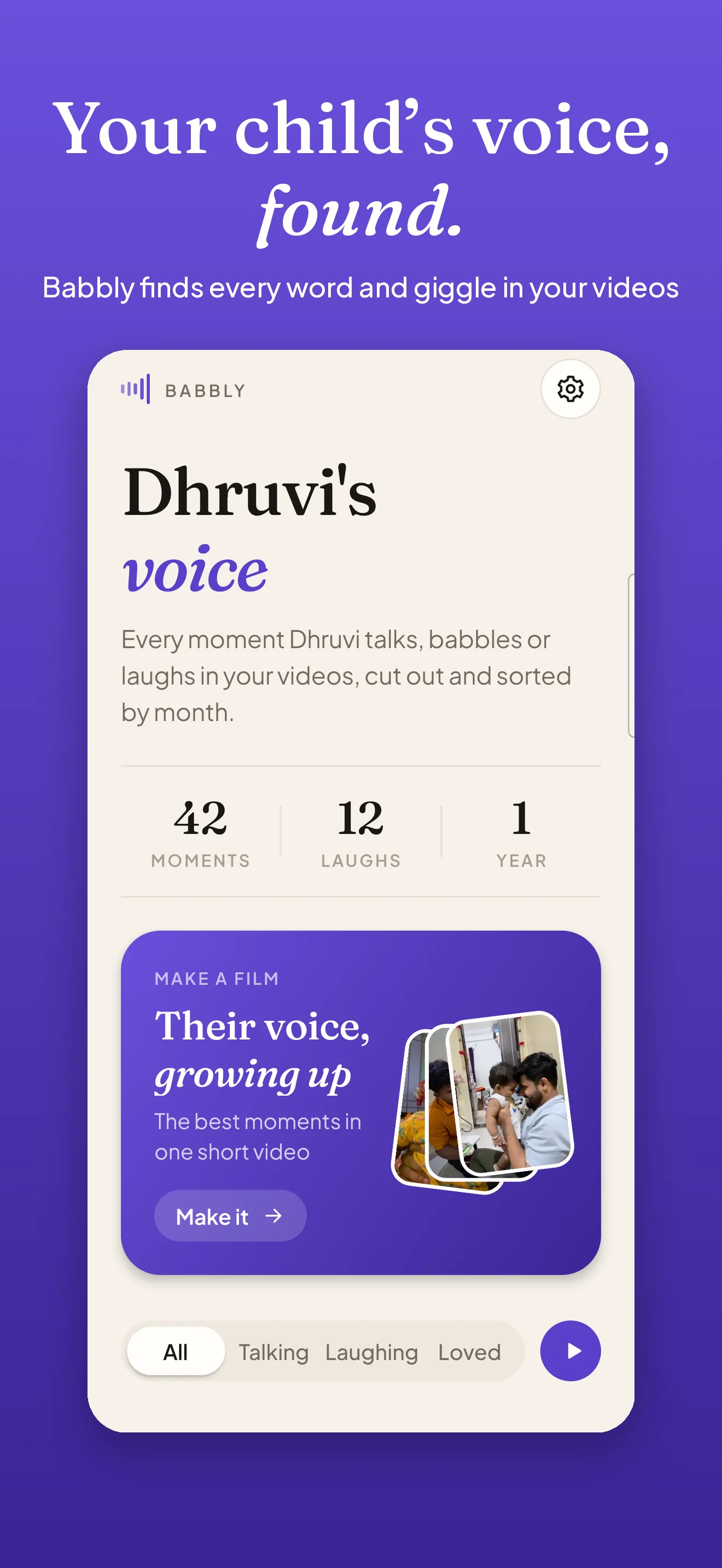 Babbly finds every moment your child’s voice is in your videos.
Add a birthday and every moment shows their age, like “7 months” or “2 years 3 months”. Without one, moments are grouped by month. Tap one and they play one after another, full screen, like stories. Love the best ones, and hide any that aren’t yours, because Babbly recognises children’s voices in general, not one particular child.
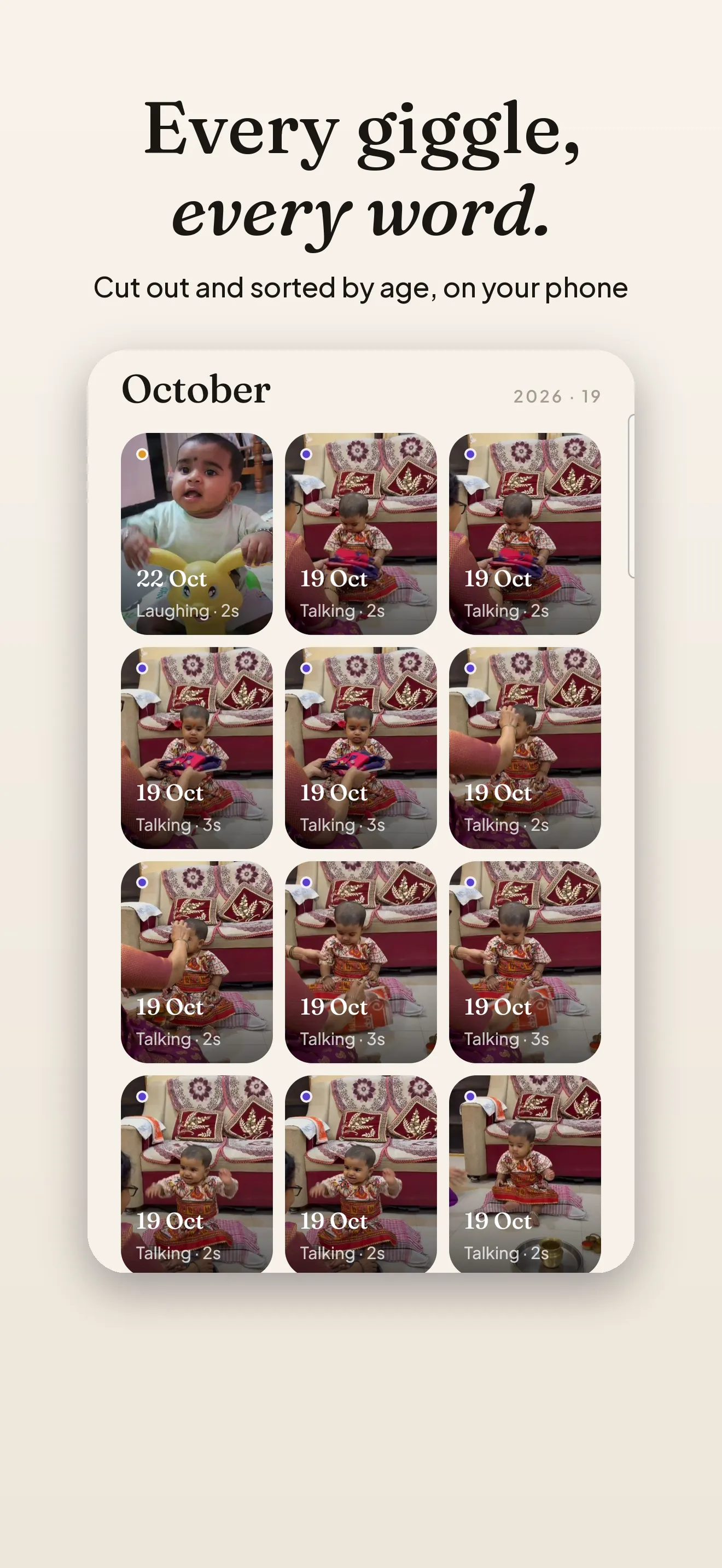 Every moment, labelled Talking or Laughing, sorted by when it happened.
Finding and playing the moments is free. Pro is a one-time unlock (no subscription) that makes the Babbly film: one short 9:16 video of their voice growing up, with the age or date on screen, to save to Photos or share with family.
The listening happens on your phone, with a small sound model that looks only at sound, not faces. Nothing is uploaded, and there is no account, no ads and no tracking. The screenshots show my daughter, Dhruvi.
Babbly is coming to the App Store first, then Google Play. Follow @shiponfriday to hear when it lands.
You already recorded their voice. It’s worth being able to hear it again.

