Thousands of photos you never look at: how to actually revisit them
Your gallery keeps growing but you only ever scroll the top of it. Simple ways to rediscover your old photos, and a way to see years of them at once.
Scroll to the bottom of your gallery. Most people have thousands of photos there, sometimes tens of thousands, going back years. And almost all of them stay unseen, because the gallery always opens at the top: today’s screenshots, yesterday’s forwards, the photo of a parking spot.
The big days are still in there. A wedding, a first trip, the week a baby was born. They’re just buried between everything else.
Why old photos get lost
- The grid only goes one way. Every new photo pushes the old ones further down.
- Junk piles up between the good stuff. Screenshots, memes and WhatsApp forwards sit right next to the photos that matter.
- Searching needs a starting point. You can only search for a day or a place you already remember.
- The phone runs out of space, and clearing it means scrolling through the same endless grid.
Easy ways to look back
- Use your phone’s memories. The iPhone Photos app and Google Photos both put together memories and “on this day” style highlights. Open them once in a while instead of only scrolling.
- Jump by year. In the Photos app on iPhone, switch to the Years view; in Google Photos, drag the scroll bar on the right to a year. Pick one and look around.
- Make an album for the big days. Every time something important happens, add a few photos to one album. In a few years it becomes the best album on your phone.
- Clear out screenshots. Both apps can show screenshots on their own. Deleting the ones you don’t need makes the real photos easier to find, and frees space.
Seeing years at once
These all show you a few photos at a time. I wanted to see the whole thing, so I built Memopolis. It turns your gallery into a 3D city: every day you took photos becomes a building, years are districts, and your busiest days stand as skyscrapers. A time-lapse builds the city from your first photo to today, then dives into your tallest tower to show your best day.
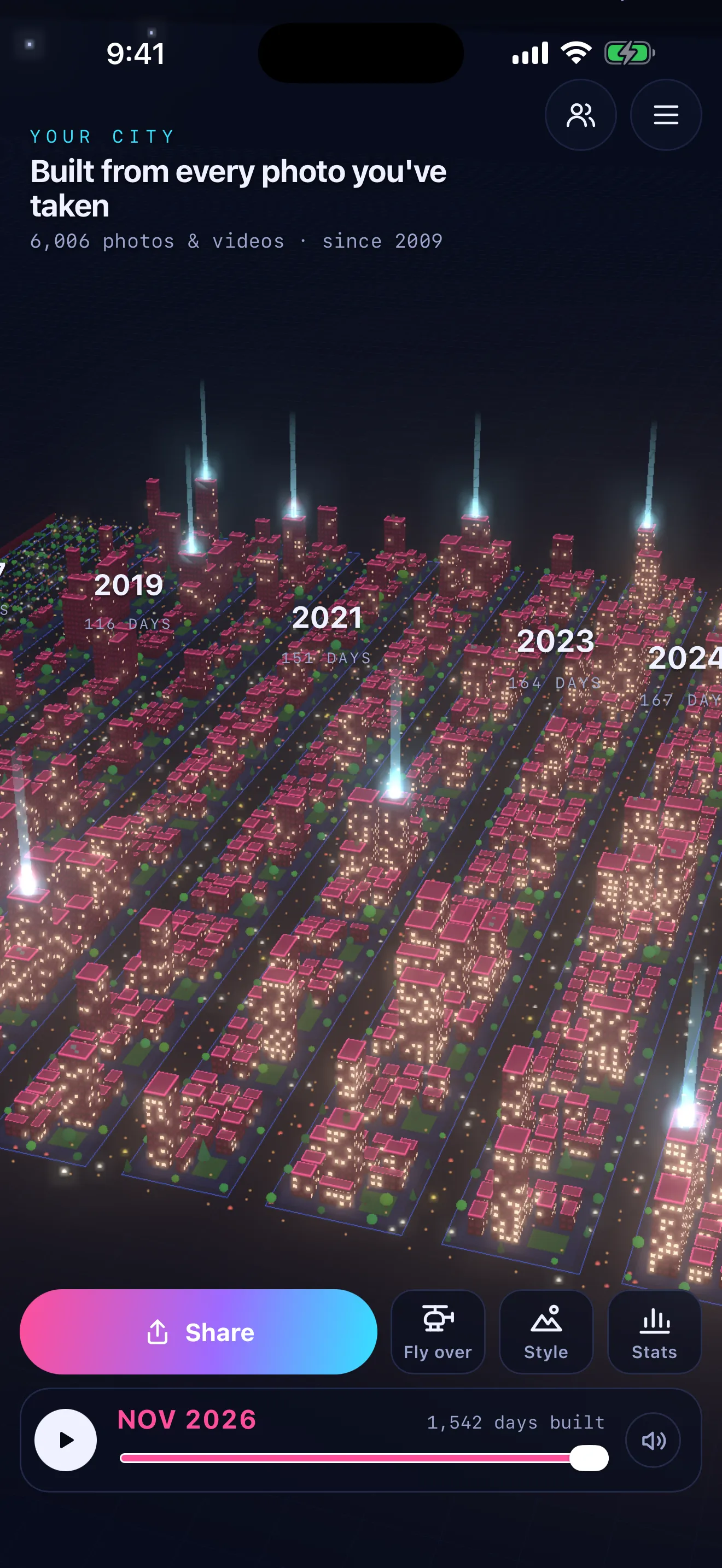 Memopolis: every photo day is a building, every year a district.
You can name the days that matter as landmarks, save your city rising as a vertical video for Reels or WhatsApp status, and clear out old screenshots with Demolish (your iPhone asks first, and they go to Recently Deleted). Your photos never leave your phone.
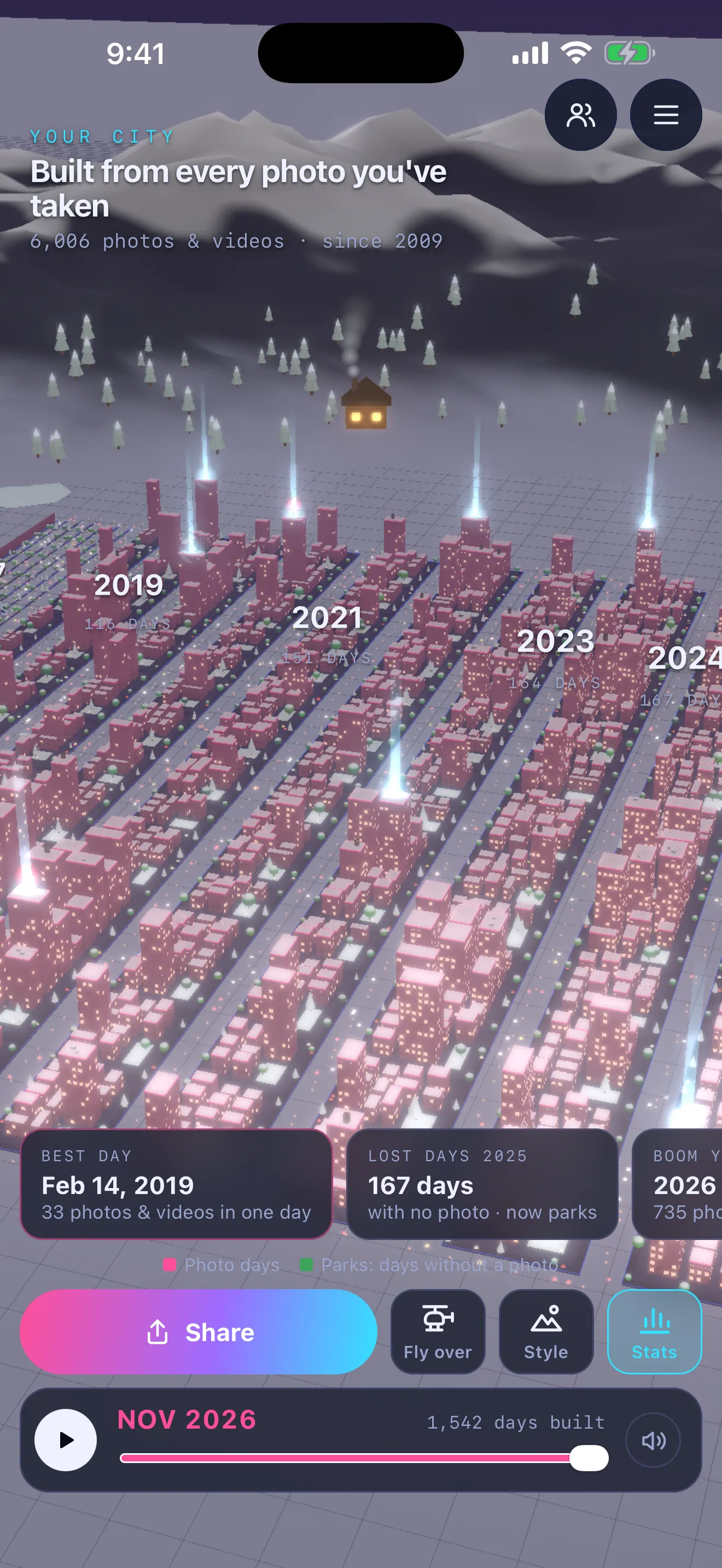 Your best day and your boom year, worked out from your gallery.
Memopolis is on the App Store for iPhone and iPad, and an Android version is on its way. You can also try a demo city in your browser.
Your photos are a record of your life. It’s worth seeing them as more than an endless grid.


