Show Only guide: locked viewing, Hide parts, saved sets and more
A tour of Show Only: opening photos from your gallery, how it keeps people inside, finishing with your fingerprint, hiding parts of a photo and saved sets.
Show Only is for the moment you hand your phone to someone. It opens just the photos you pick in a locked, full-screen viewer, so the other person can swipe through those and nothing else. Here’s what it does, and how it works on Android and iPhone.
Straight from your gallery
You don’t need to open the app first. Select photos or videos in your gallery or Google Photos (Photos on iPhone), tap Share and pick Show Only. They open locked, full screen, ready to hand over. Show Only only ever gets the photos you pick, through your phone’s own picker or share menu.
They can’t leave
- On Android, the app pins itself, so Back, Home and Recents stay inside your photos.
- On iPhone, Guided Access does the same job. iPhone doesn’t let apps lock the screen on their own, so Show Only shows you how to turn Guided Access on (Settings → Accessibility).
No pop-ups, no screenshots (Android)
While they hold your phone, Do Not Disturb hides messages and calls, and screenshots and screen recording are blocked. Both switch back when you finish. These are Android only, because iPhone doesn’t let apps do either.
Only you can finish
Hold the lock and confirm with your fingerprint, face or PIN. Pro adds a hidden-corner finish with no button on screen at all.
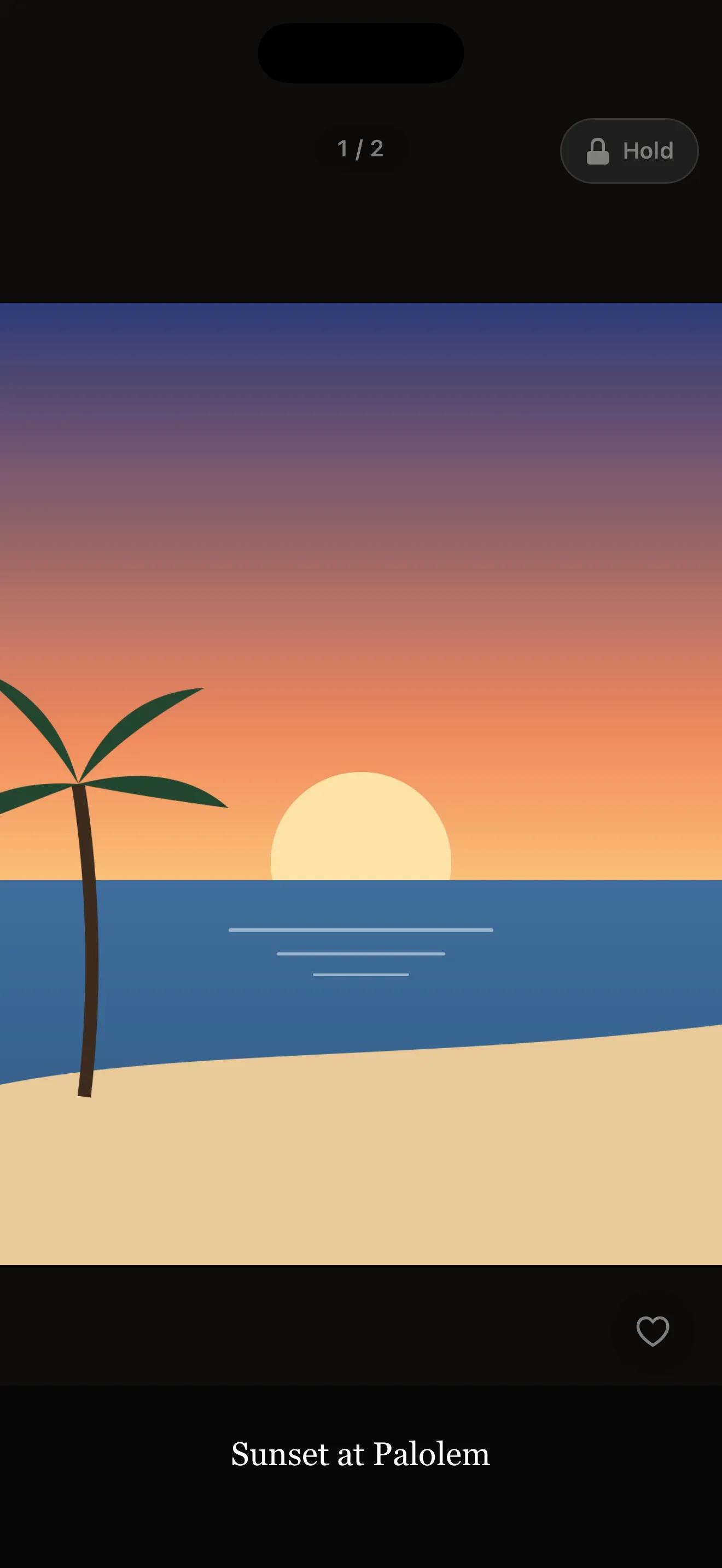 Showing a photo: a counter, a caption, a heart, and the lock you hold to finish.
Hide parts before you show
Showing a boarding pass or an ID? Blur or cover the booking number, a face, or a chat in a screenshot. Only the cleaned copy is shown; your original photo isn’t changed.
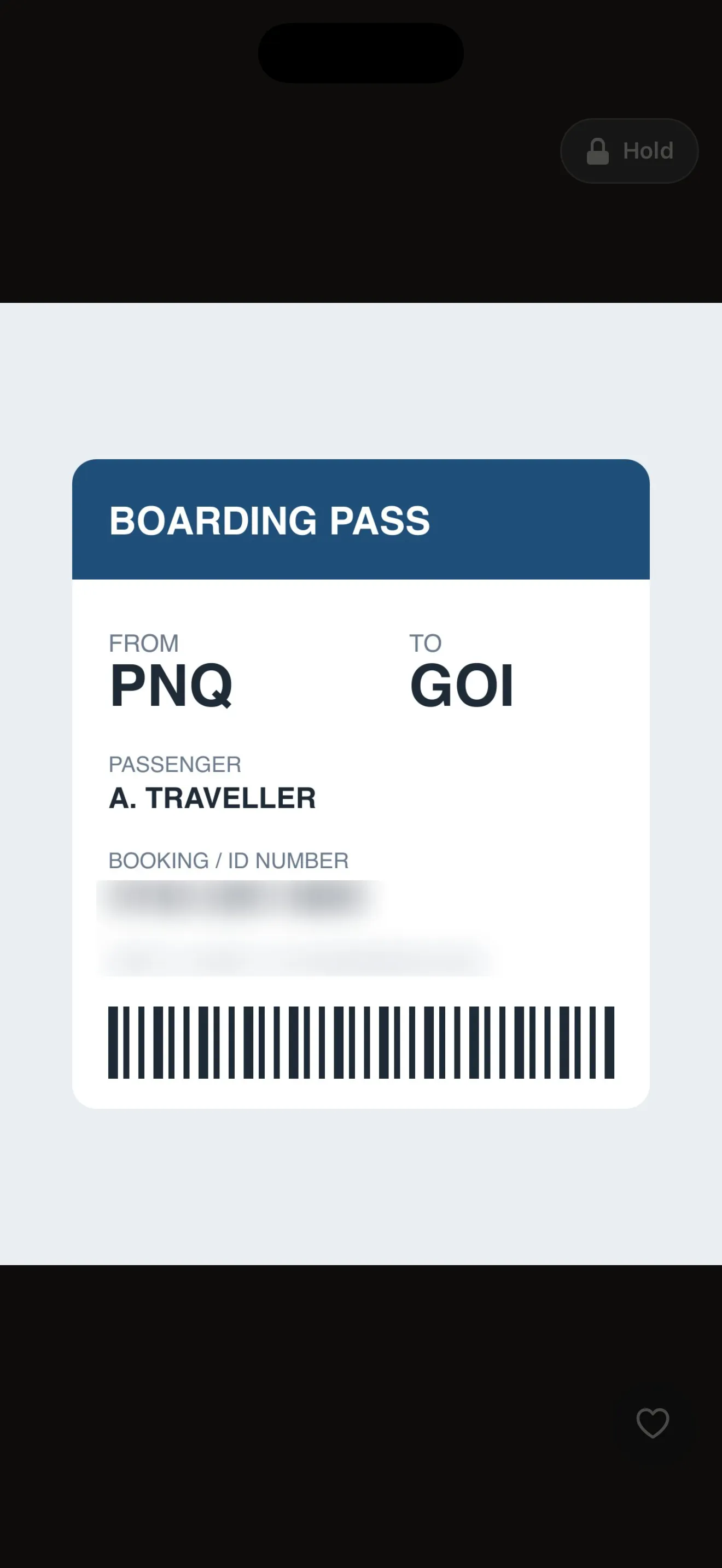 A boarding pass with the booking number blurred.
Saved sets
Keep the photos you show often, like baby photos, a wedding, or tickets and ID, as sets that are one tap from showing. On Android you can also start a set from a Quick Settings tile, a home-screen widget or the app icon.
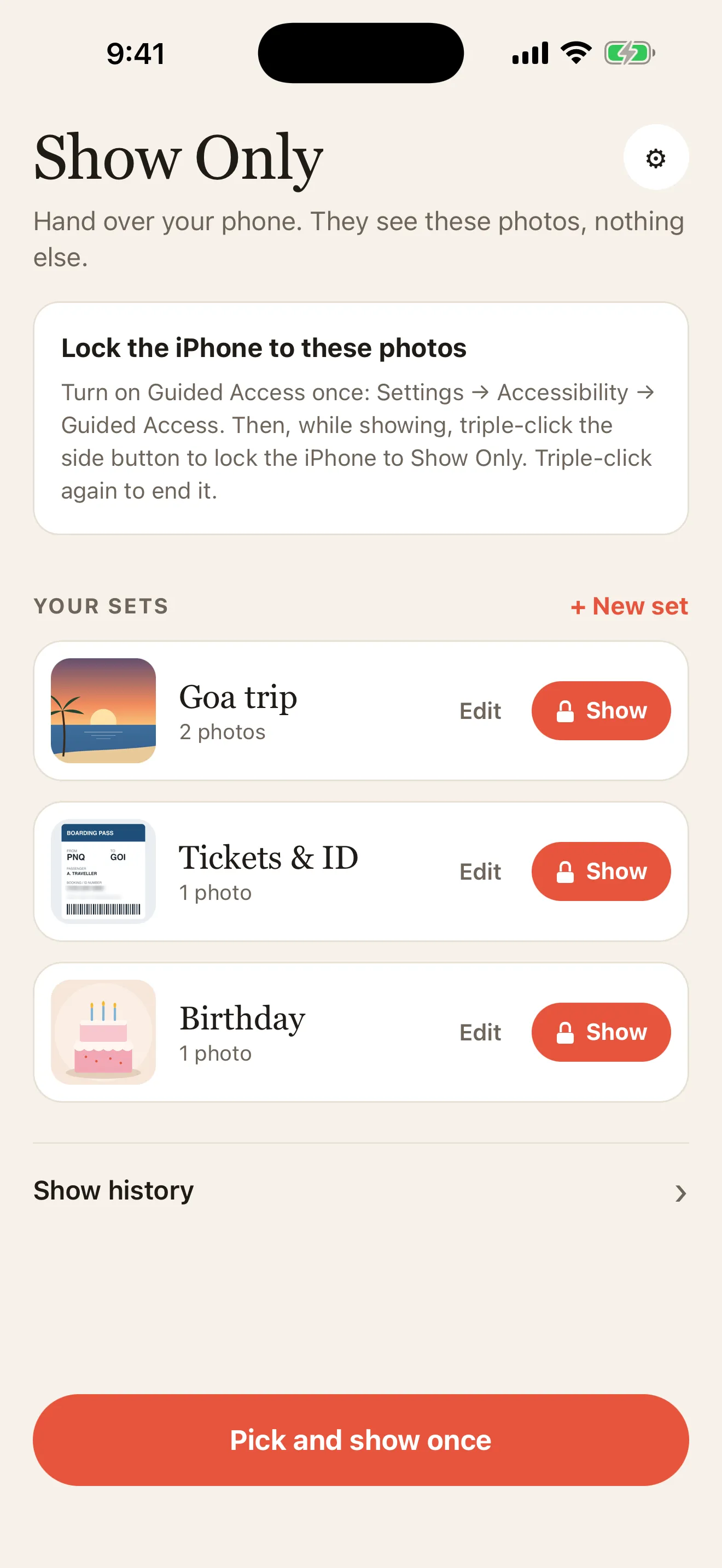 Saved sets, each one tap from showing.
“Send me this”
The other person taps a heart on the photos they like. When you finish, you can send exactly those, instead of asking “which ones did you want?”
Made for real life
Pinch and double-tap zoom, videos, PDF tickets, captions, a slideshow, kid mode with a time bar, and auto-finish. Show Only comes in English, Hindi and Marathi, in light and dark.
Free and Pro
The free version shows up to 3 photos at a time and keeps 1 saved set. Pro is a one-time unlock, with no subscription: any number of photos, videos and PDFs, unlimited sets, Hide parts, captions, slideshow, kid mode, auto-finish and the hidden-corner finish.
Private by design
Everything stays on your phone. No account, no ads, no analytics, and the app collects no data.
Show Only is coming soon to Google Play and the App Store. See the Show Only page for screenshots.


