YCal guide: every feature, explained
A tour of YCal, the Yahoo Calendar app for Android and iPhone: how to sign in, two-way sync, reminders, the morning briefing, one-tap join, widgets and more.
I built YCal because my Yahoo Calendar lived in a browser tab and I kept missing meetings. This is a tour of everything it does, and how to get the most out of it.
Signing in
YCal talks to Yahoo over CalDAV, the standard way calendar apps sync. Yahoo doesn’t let apps use your normal password for this, so you make an app password once:
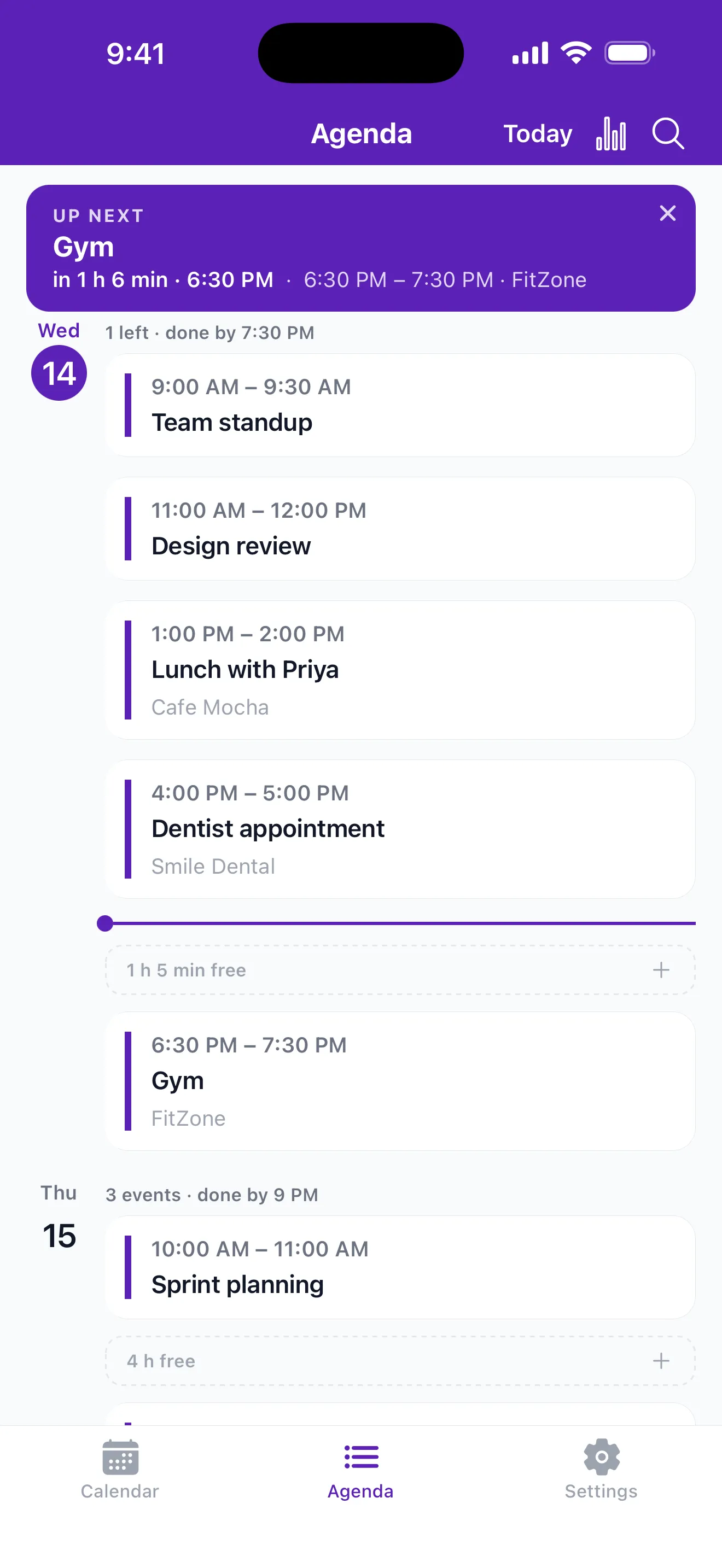 The agenda: your next event on top, and the free time between meetings.
- Open your Yahoo account’s security settings and create an app password.
- Open YCal and sign in with your Yahoo email and that app password.
Your calendars sync straight away. The app password is stored encrypted on your phone.
Your whole calendar, two-way
Every Yahoo calendar you have shows up, including events that came from invites in your Yahoo Mail. It works both ways: create, edit or delete an event in YCal and it changes in Yahoo too. If you have more than one Yahoo account, you can see them in one calendar.
Four ways to look at your time
- Agenda: what’s coming, with your next event at the top and the free time between meetings.
- Day and week, for a closer look at the days ahead.
- Month: the big picture, with the selected day’s events listed underneath.
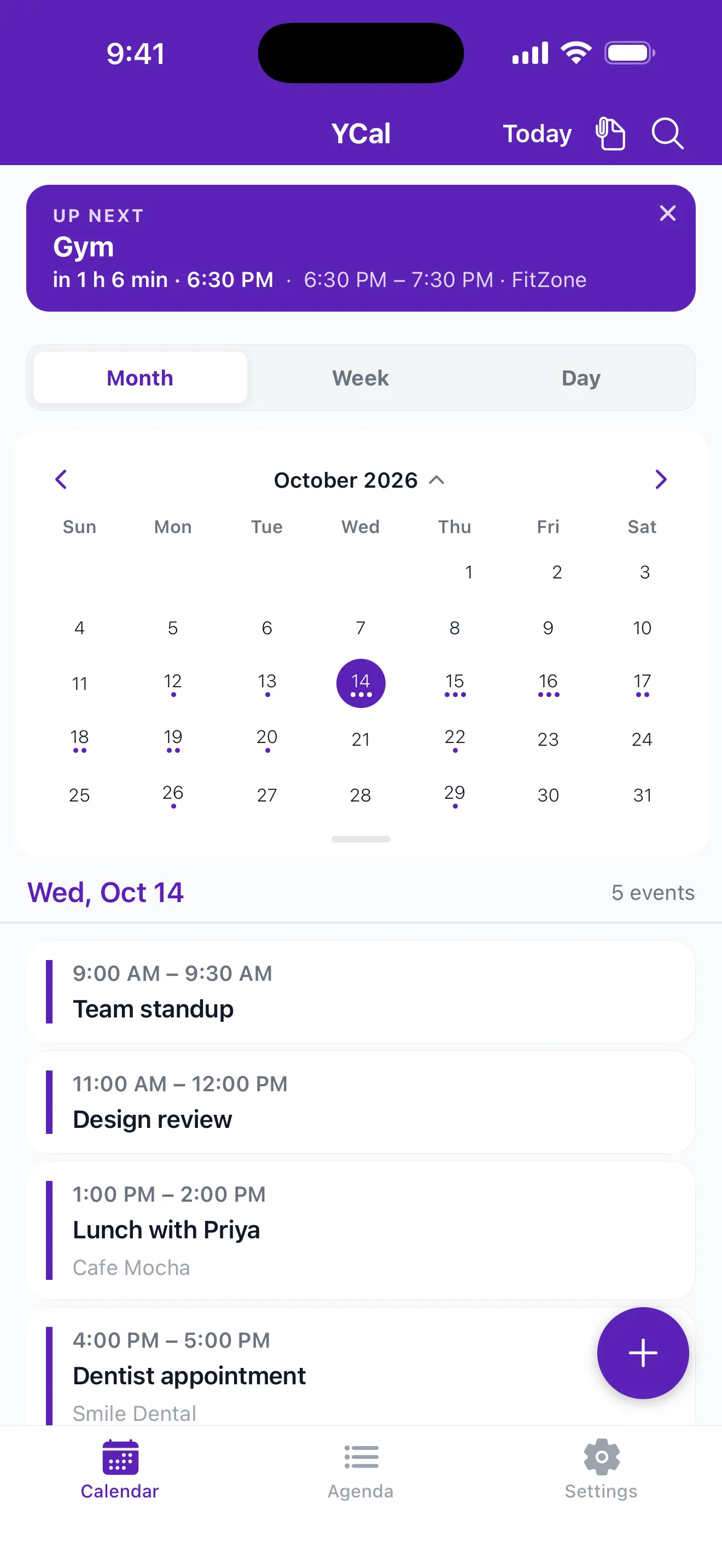 Month view, with the selected day’s events underneath.
You can share or copy any event to Mail, WhatsApp, Slack or Messages when someone asks “what time was that again?”
Reminders you won’t miss
Pick how many minutes before each event you want a reminder, plus a daily alert for all-day events, like birthdays, that are easy to forget because they have no time.
Two quiet extras sit on top of that:
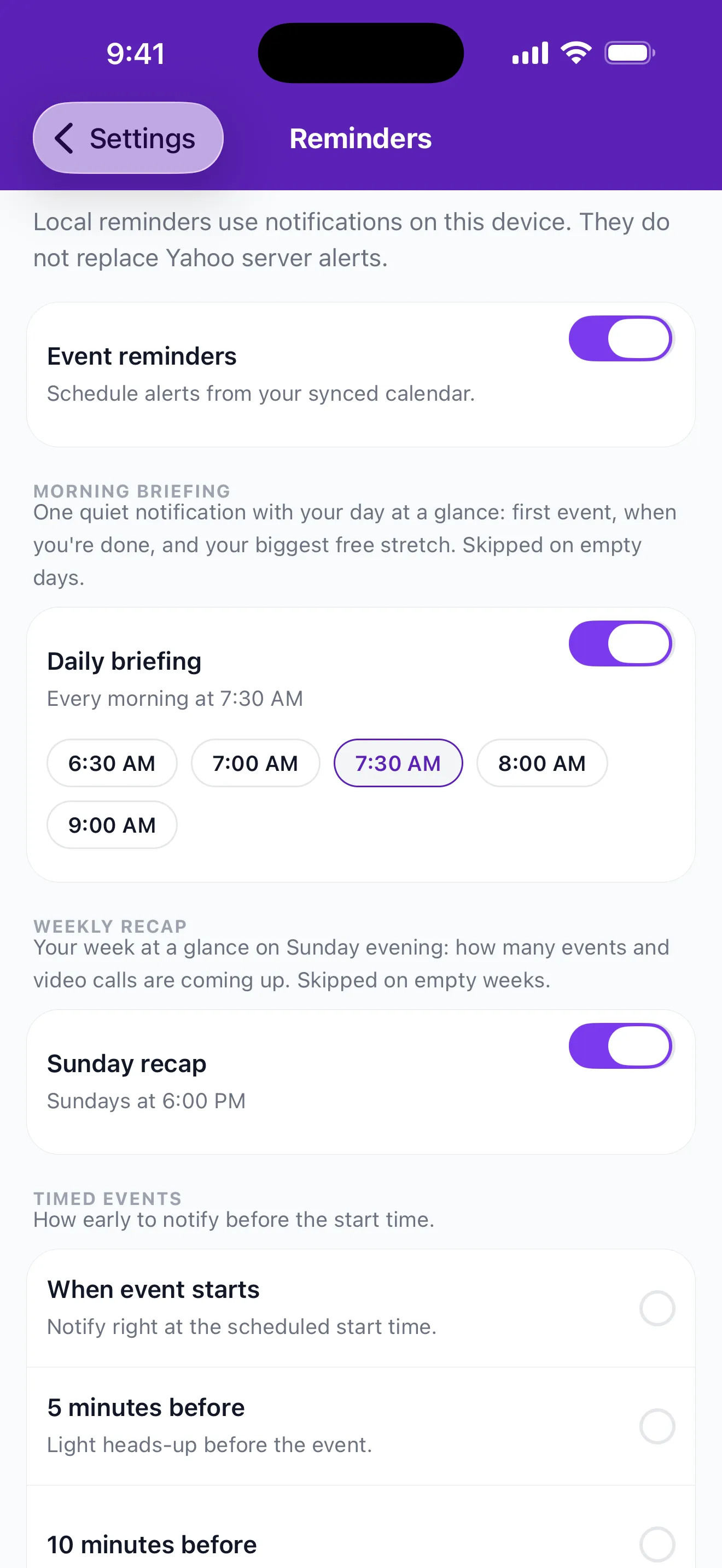 Reminder settings, the morning briefing and the Sunday recap.
- Morning briefing: one notification each morning with your first event and your biggest free stretch of the day.
- Sunday recap: a look at the week ahead on Sunday evening.
One tap into the call
When an event has a Zoom, Google Meet or Microsoft Teams link, YCal shows a join button on the event and on its reminder. No digging through the invite for the link two minutes after the meeting started.
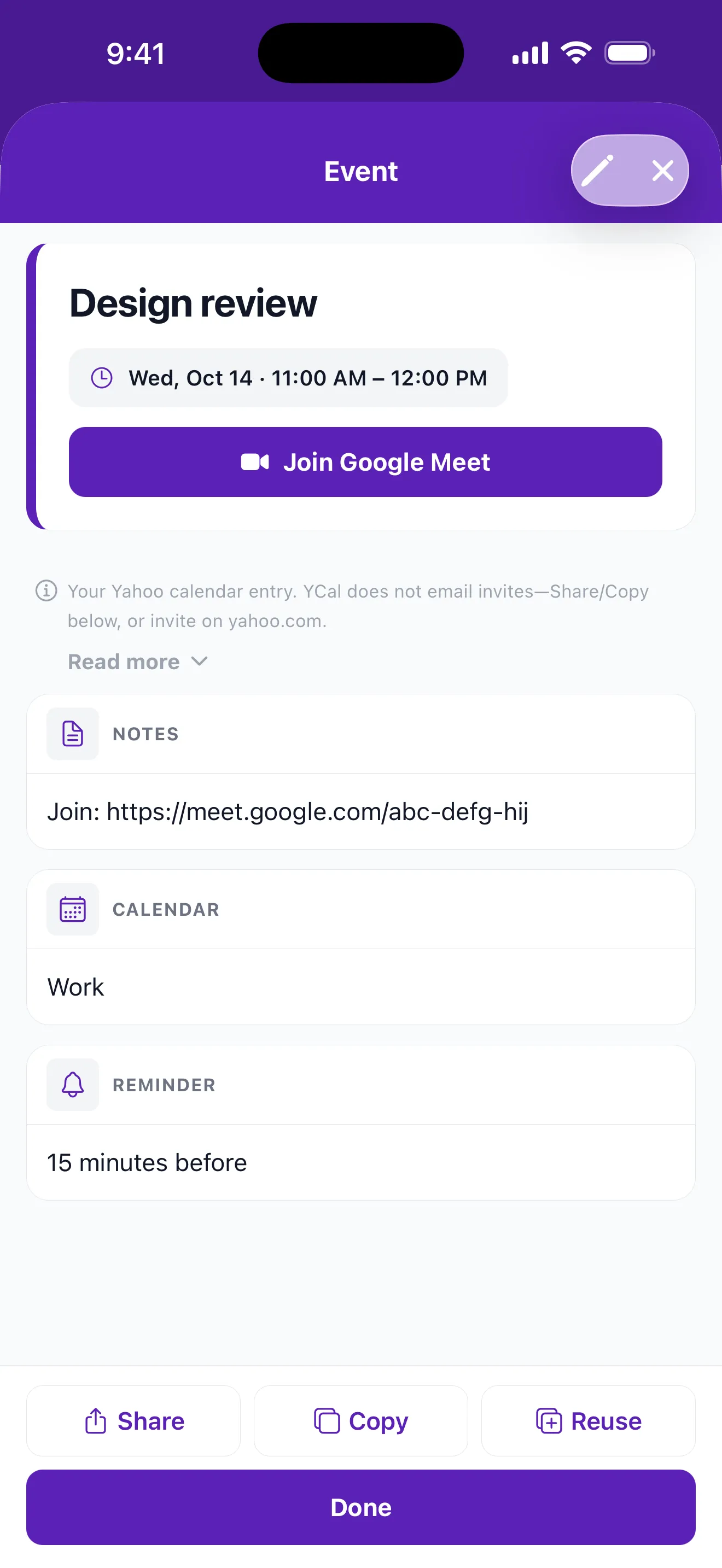 An event with a one-tap Join button for Google Meet.
Works offline
Your agenda is saved on your phone, so it’s there in the lift, on a plane or anywhere the signal drops. Background sync keeps it fresh as often as every 15 minutes.
Widgets (Android)
On Android, put your agenda or your next event on the home screen and see your day without opening the app.
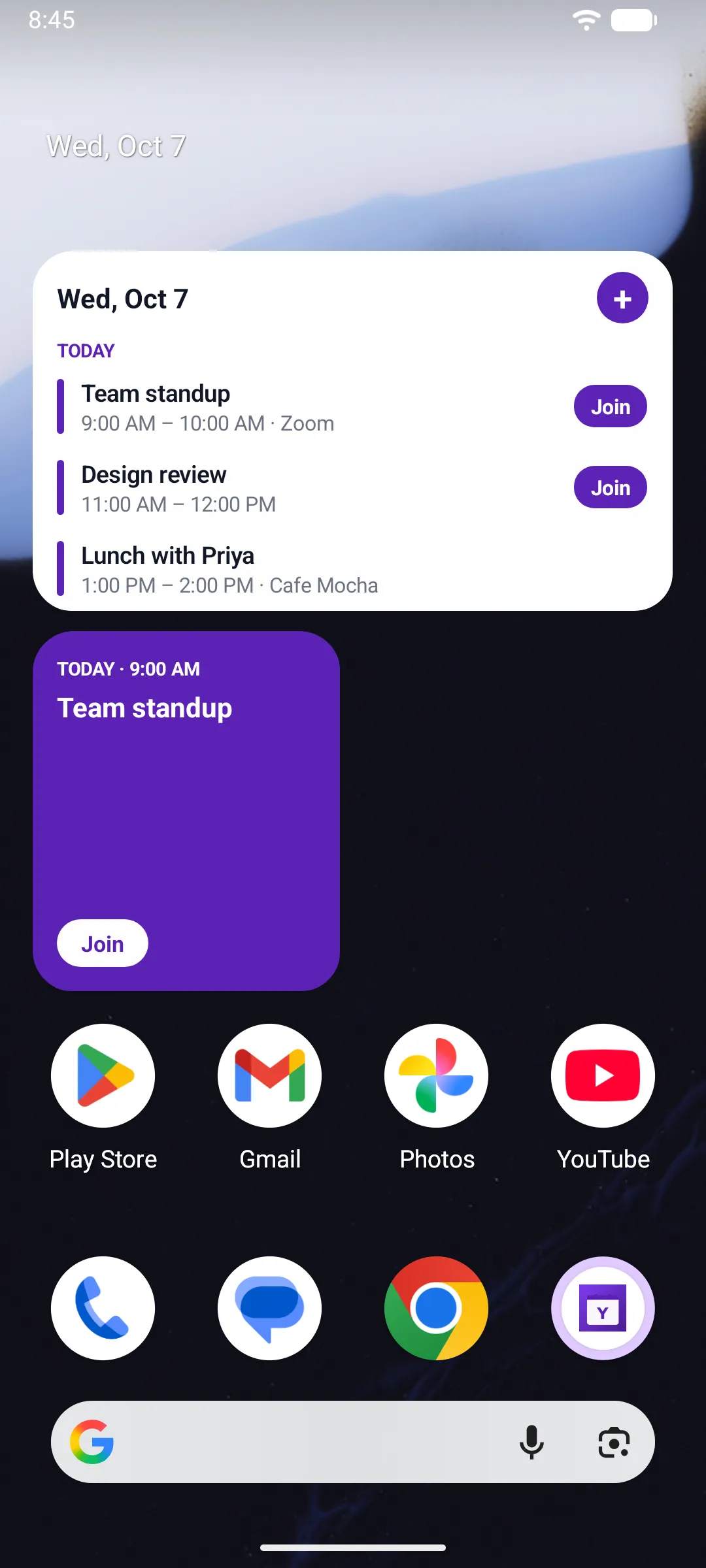 Agenda and next-event widgets on an Android home screen.
Make it yours
Light, dark or system theme, a true-black dark mode, 14 accent colours and a compact agenda layout if you like to see more at once. You can also export your calendar to an .ics file.
A note on Yahoo
YCal is an independent app. It isn’t made by Yahoo, and it’s not affiliated with or endorsed by Yahoo Inc. It has no ads, no tracking and no analytics.
YCal is on Google Play and the App Store. See the YCal page for screenshots and how plans work on each phone.


